Windows 7 Tips and Tricks Part 4: Change Logon Screen
This is Part 4 of the series of articles which will have many new (and old) tips and tricks to enhance windows 7. Stay tuned for more!
Part 1: Patch uxtheme.dll And Apply Custom MSStyles
Part 2: Modify bootloader configuration and OS descriptions
Part 3: Optimize and speed up using SetteMaxer
Part 1: Patch uxtheme.dll And Apply Custom MSStyles
Part 2: Modify bootloader configuration and OS descriptions
Part 3: Optimize and speed up using SetteMaxer
Bored with the default logon screen of Windows7? Logon Studio from Stardock is a free and simple software that lets you change the default logon screen.
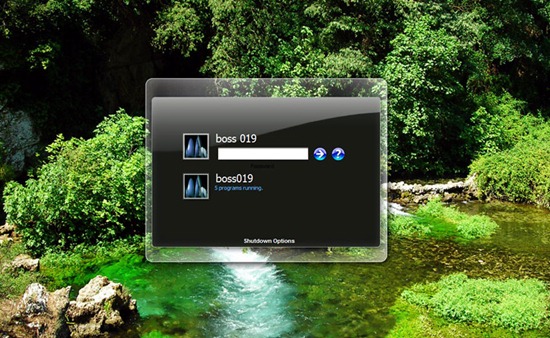
Logon Studio has a huge collection of logon screens. If you don’t like the existing collection, you can download additional screens from their website. Apart from this, you can also create your own logon screens from your Photographs or wallpapers.
The software is not officially available for Windows 7, But Windows Vista version runs fine. However, the Create button or Browse button only works if you run it under Windows Vista compatibility mode.
Download: Logon Studio
More windows 7 tips and tricks will follow soon!