Windows 7 Tips and Tricks Part 1: Patch uxtheme.dll And Apply Custom MSStyles
Uxtheme.dll is a theme manager for windows XP, Vista and windows 7 that enables the user to install new themes. The themes have to be digitally signed in order to be installed. However, there is a hack available for both XP and Vista to patch the dll file and load custom themes. Now you can also patch uxtheme.dll in windows 7. Here are the steps that you need to take to patch uxtheme.dll and two other related dll files.
NOTE: You need to be a administator to patch system files.
1) Download patched uxtheme.dll,themeui.dll and shsvcs.dll from here and unzip the files to a folder.
2) Download Replacer, which allows you to replace system files. Extract it in a folder.
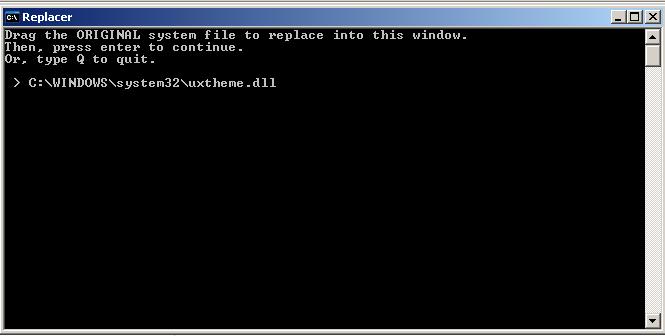
3) Run Replacer.cmd and open c:/windows/system32. Drag uxtheme.dll from system32 folder into Replacer window.Press Enter.
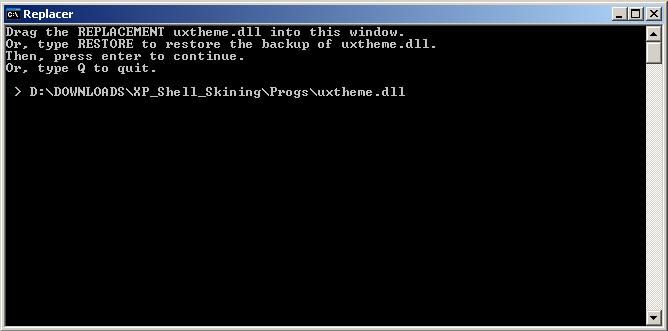
4) Now it will ask you to drag the file with which you want to replace.Drag Uxtheme.dll which you had downloaded in Step 1 and press enter.
5) It will ask you to confirm that you want to replace the files or not, check again and press Enter.
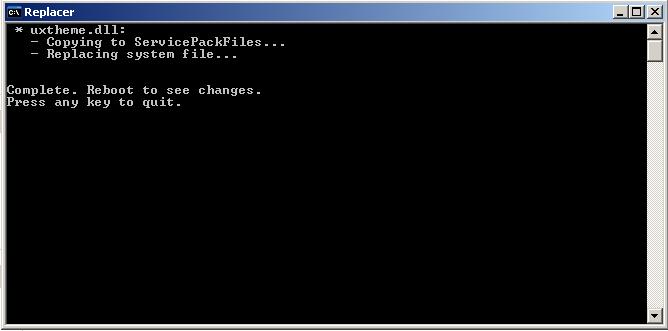
6) Repeat step 3-5 for themeui.dll and shsvcs.dll.
7) Restart your computer after replacing the three files. Now you can enjoy custom MSStyles in windows 7.
As a bonus, here is a custom Aero Diamond theme for windows 7: alkhan.deviantart.com
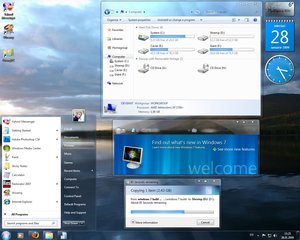
This theme pack also have patched explorer.exe (to change the start orb) ,obefldr.dll (to change the Welcome Center view) and explorerframe.dll (to change the back/forward buttons). Its not necessary to replace them, but you can easily replace through Replacer by following steps 3-7.