Remove GPT Protected Partition On a Hard disk in Windows XP
If you’ve ever formatted a hard disk in MAC OSX, it creates a special GPT protected partition which cannot be removed in Windows XP using the native disk management tool. However, with DiskPart utility, you can easily remove it.
Warning: All the data on hard disk will be erased if you use this method. Make sure you backup your important files.
- Start Command prompt in Windows XP. Cick on “Start Menu”, then “Run”, type in “cmd” in textbox, and hit “OK”
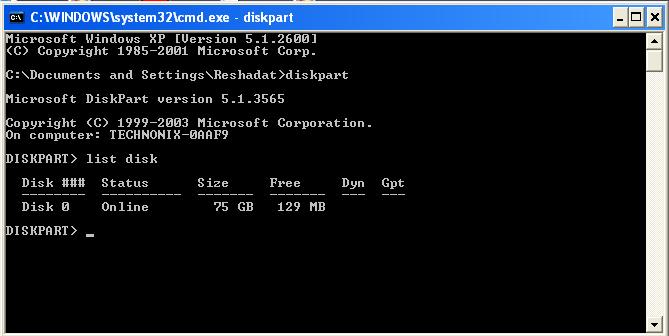
- Type “diskpart” and press enter
- Type “list disk” and press enter. You will be presented with a list of hard disk attached to your computer. Note down the disk number of the desired hard disk.
- Type “select disk x” replacing x with the disk number you noted in step 3. press enter.
- Type “clean” and press enter.
Now you can use your disk partitioning tool or Windows Disk management utility to recreate partitions.
Warning: All the data on hard disk will be erased if you use this method. Make sure you backup your important files.