Install Whatsapp on PC with Bluestacks App Player
Whatsapp is a popular messaging client for iPhone, Android, Nokia and Blackberry platforms, but still not on Windows/Mac. Although not officially, but we managed to find out an unofficial method to install WhatsApp on Windows and Mac. Bluestacks App player lets you install Android applications on PC or Mac for free.
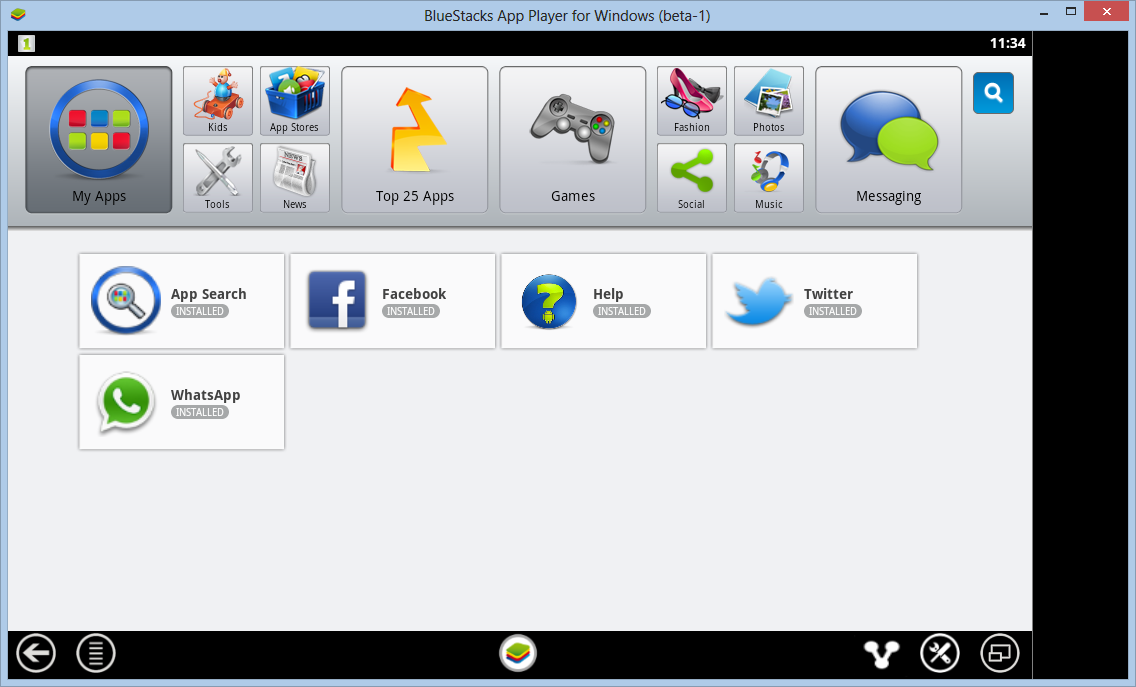
Steps to Install WhatsApp on Windows PC:
- Download BluestacksFor Windows/Mac
- Install the software. It will download its packages from internet, so it may take some time
- Once the Application opens, Search for WhatsApp on Bluestacks
- After Whatsapp is installed, click its icon on bluestacks
- Add new phone and wait for voice confirmation
- Enter code and voila!!! You now have whatsapp on PC or Mac
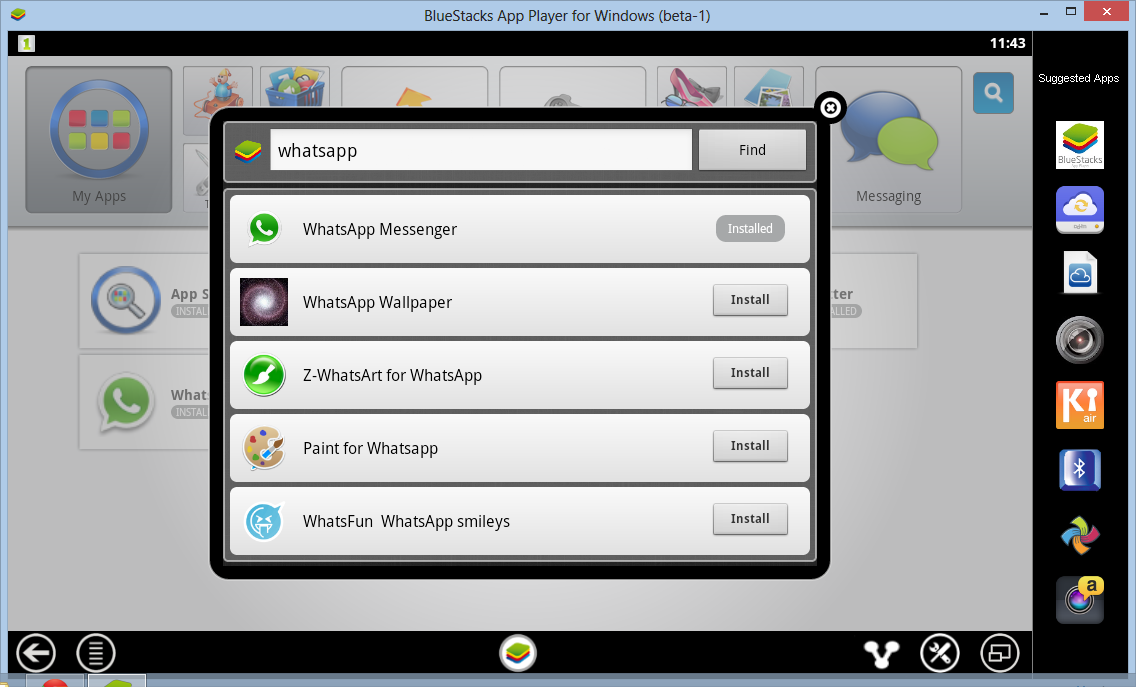
So now enjoy WhatsApp on your Windows PC with this amazing BlueStacks App Player. You can also download and install other amazing Android Application which you can search and then download. If you like the tutorial, do not forget to follow us on Twitter (@technonix) or Facebook (http://www.facebook.com/technonix)