Unlock iOS 4.0.2 using Ultrasn0w(Ultrasnow)
Apple released iOS 4.0.2 to fix the exploit used by jailbreakme.com. However, they did not update the baseband, which means existing version of ultrasn0w can be used to unlock iPhone. Only iPhone 3G can be unlocked as of now.
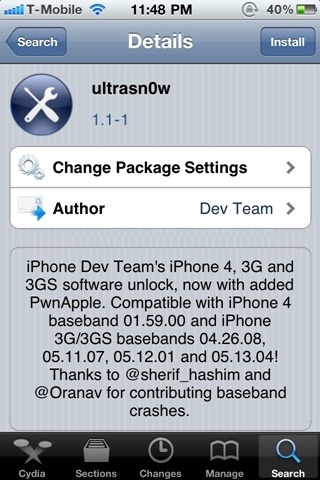
Here are the steps to unlock iOS 4.0.2 using ultrasn0w(ultrasnow)
- Jailbreak iPhone 3G using redsn0w. See the guide here: https://www.technonix.com/2010/08/download-redsn0wredsnow-0-9-5b5-5-to-jailbreak-ios-4-0-2/
- Open Cydia and search for ultrasn0w. If it is not there, add the repo repo666.ultrasn0w.com and search it again
- Install ultrasn0w and reboot your iPhone
There it goes. feel free to comment below if you have any problem.
For more such updates on iPhone jailbreaking and unlocking, subscribe to technoNix via email or connect with us via our facebook fan page.