Jailbreak and Unlock iPhone 3.1.2 using Sn0wbreeze (Snowbreeze)
After Blacksn0w, there is a new tool to Jailbreak and Unlock iPhone 3.1.2- Sn0wbreeze. Sn0wbreeze is a tool by iH8sn0w group. Sn0wBreeze works with iPhone 2G, iPhone 3G, iPhone 3GS (non MC models only), iPod Touch and iPod Touch 3G (non MC models only). It works with Windows XP/ Vista/ Windows 7. Sn0wbreeze is a public beta and may not work properly.
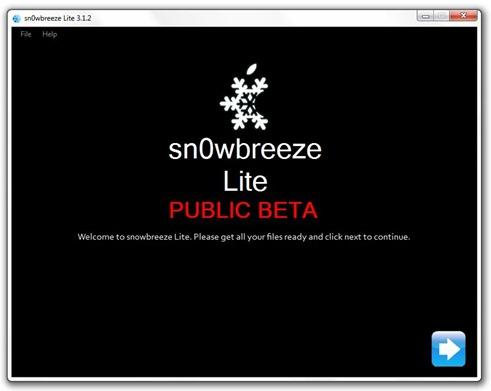
Here is a step by Step Guide to Jailbreak and unlock iPhone 3.1.2 using sn0wbreeze.
Step 1: Download and install iTunes from here: http://www.apple.com/itunes/
Step 2: Download and install .NET Framework 3.5 from here: http://download.microsoft.com/download/6/0/f/60fc5854-3cb8-4892-b6db-bd4f42510f28/dotnetfx35.exe
Step 3: Download Sn0wbreeze from here: http://ih8sn0w.com/index.php/download/file/sn0wbreeze/pc
Step 4: Download 3.1.2 iPhone and iPod firmware from here: https://www.technonix.com/2009/10/iphone-3-1-2-firmware-direct-download-links/
Step 5: Start Sn0wbreeze and select “Simple Mode”.

Step 6: Browse for the ipsw file you’ve downloaded in step 4. It’ll verify the file. Click Next.

Step 7: Click Yes if you want to activate your iPhone. Only select No if you are on officially supported network like AT&T.

Step 8: Sn0wbreeze will now create the custom ipsw file.

Step 9: Now open your iTunes and click on your iPhone from sidebar. Press “shift” on your keyboard and click on restore. iTunes will ask for the ipsw file. Give the path to the custom ipsw file you’ve created.
Step 10: Now Relax and let iTunes complete the restore process. After it completes, you’ll have a fully jailbroken iPhone running 3.1.2. It is still not unlocked.
Step 11: To Unlock, Open Cydia and search for ultrasn0w and install it. If you can’t find it, add the repo http://repo666.ultrasn0w.com and search it again. Reboot your iPhone.
Great. You now have a fully functional iPhone jailbreaked and unlocked using sn0wbreeze. For more such updates on iPhone, subscribe to technoNix.com using email or join the technoNix community on facebook.