Download redsn0w (redsnow) 0.9 beta3 to Jailbreak and Unlock iPhone and iPod Touch 3.1.2
Redsn0w is yet another unlocking and jailbreaking solution for iPhone and iPod users. It can jailbreak and unlock OS versions 3.1.2 and 3.0. All iPhones and iPod touch are supported except the iPod touch 3G. For the late 3GS models and iPod Touch MC models, the process is still tethered. Here is a step by step guide to unlock and jailbreak iPhone 3.1.2 using redsn0w 0.9:
1. Download iPhone 3.1.2 firmware using direct download links posted here.
2. Download redsn0w 0.9 for Windows and MAC
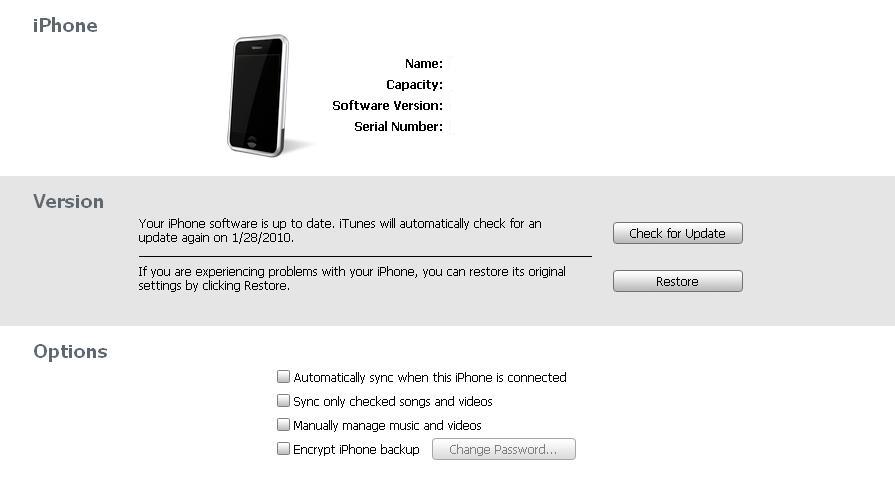
3. Open up iTunes. It’ll detect your iPhone.
4. Press Shift and click restore. Browse for the ipsw file you downloaded in step 1. iTunes will restore the iPhone to 3.1.2. Let it do its work. It may take some time.
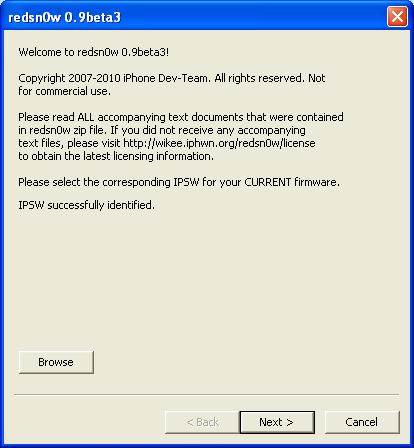
 5. Open redsnow (redsn0w). Browse for the ipsw file you downloaded in step1. It’ll verify the file. Click next.
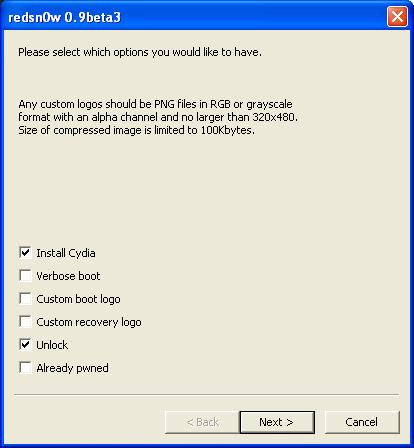
6. Check “Install Cydia”. Also check “Unlock” if you want to unlock your iPhone. Click Next.
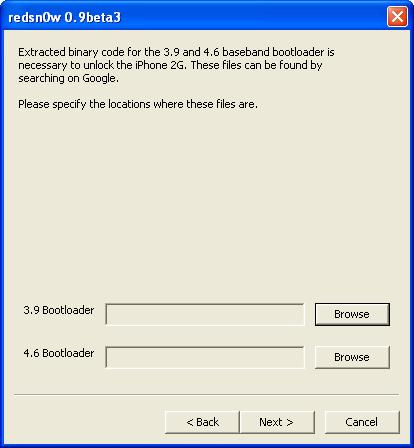
7. Download 3.9 and 4.6 bootloaders from here and specify their locations. Click Next.
 8. Switch off your iPhone and click next. It is very important to switch off your iPhone.
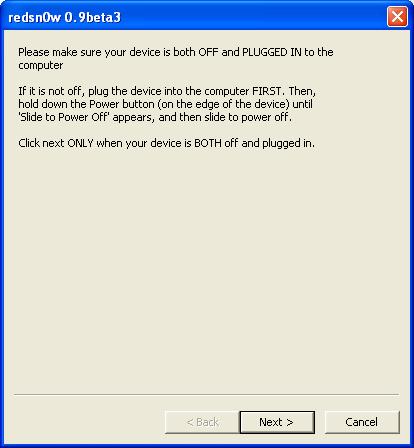 9. Redsnow (redsn0w) will now guide you to put your iPhone in DFU mode. Do exactly as shown
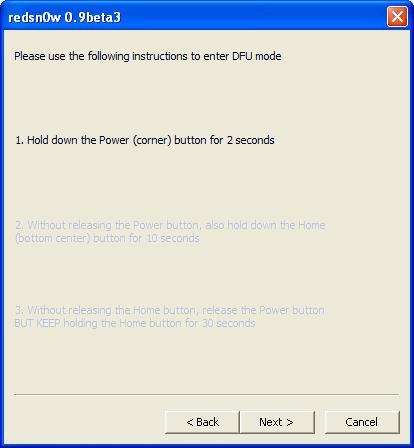 10. Once done, it’ll start the jailbraking process. Relax and let it do its work. Do not interrupt or attempt to turn off the device. The jailbreak will complete in few minutes.
Voila, You’ve just unlocked and jailbreaked iPhone 3.1.2 using redsn0w 0.9. Enjoy 🙂
For more such updates on iPhone jailbreaking and unlocking, subscribe to technoNix via email or connect with us via our facebook fan page.