Jailbreak iPhone 3G iOS 4.0.1 Using Redsn0w 0.9.5b5-5
iOS 4.0.1 has been released for iPhone 4, 3GS and 3G. 3G users can use Redsn0w 0.9.5b5-5 to jailbreak their iPhone. Redsn0w jailbreak is currently only for iPhone 3G. Here is the step by step guide to Jailbreak iPhone 3G iOS 4.0.1 Using Redsn0w 0.9.5b5-5.
- Download iOS 4.0.1 for iPhone 3G from here: Download iPhone iOS 4.0.1. Update to iOS 4.0.1 using iTunes.
- Download redsn0w: Mac or Windows.
- Start redsn0w 0.9.5b5-5 and point it to iOS 4.0 firmware and not iOS 4.0.1.
- Select “Install Cydia” and click next.
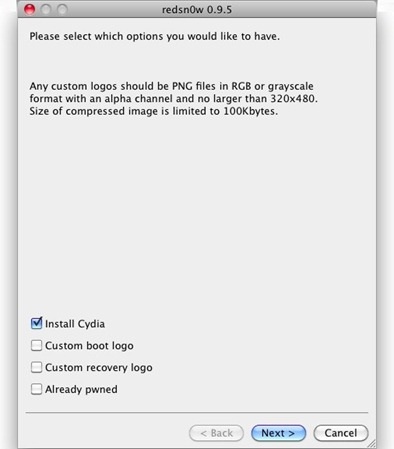
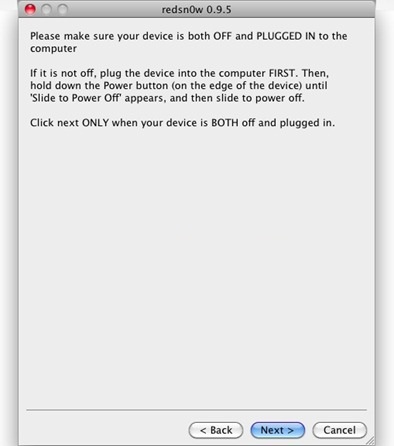
- Make sure that your device is both turned off and connected to computer.
- Follow on screen instructions to put the device in recovery mode.
- Now sit back and let redsn0w do its work. Once the process finishes, you’ll have a fully jailbroken iPhone 3G running iOS 4.0.1.
Enjoy 🙂