Download Redsn0w(Redsnow) 0.9.5b5-5 to jailbreak iOS 4.0.2
If you have an iPhone 3G or iPod Touch 2G, you can use Redsn0w(Redsnow) 0.9.5b5-5 (0.9.5 beta 5) to jailbreak iOS 4.0.2. The firmware is released only to path the pdf exploit used by jailbreakme.com. Here is a step by step guide:
- Download iOS 4.0.2 for your iDevice. Download Links are given below.
- Update to latest firmware via iTunes.
- Download Redsn0w(Redsnow) 0.9.5b5-5. Download links given below.
- Start Redsn0w 0.9.5b5-5 and point it to iOS 4.0 Final and not iOS 4.0.2

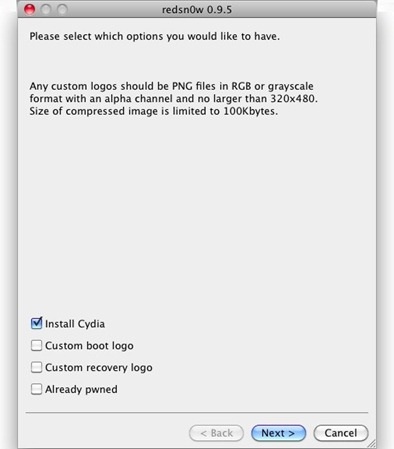
- Now select “Install Cydia” and click next.
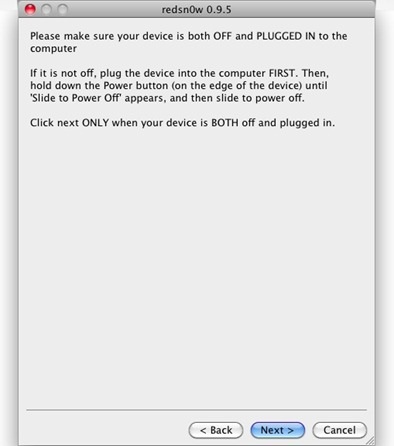
- Make sure your iPhone is turned off and connected to computer.
- Follow the onscreen instructions to put your iDevice in recovery mode.
- Redsn0w will now jailbreak your device. Sit back and relax. It may take some time.
Conratulations. You now have fully jailbroken iDevice. 🙂
Download Links:
Download iOS 4.0.2:
Download redsn0w 0.9.5b5-5 for Mac: Download
Download redsn0w 0.9.5b5-5 for Windows: Download