Port Siri on iPhone 4, iPhone 3GS and iPad on iOS 5 and iOS 5.0.1
Siri has been ported to older iOS devices, including iPhone 4 and 3GS by well known hacker chpwn and stroughtonsmith. However, the ported Siri cannot yet connect to Apple server and receive responses.
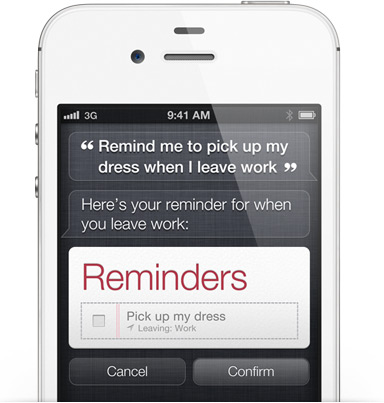
Here is a step by step guide to port Siri on iPhone 4, iPhone 3GS or iPad on iOS 5 or iOS 5.0.1
- Jailbreak your iPhone 4 or 3GS
- Install iPhone Explorer or any other software to transfer files to your iPhone or iPad
- Open Cydia and install iFile
- Download this file: http://www.mediafire.com/?c2xnfqfvsh1vgk7
- Extract archive downloaded above.
-
Copy the folder AssistantServices.framework to /System/Library/PrivateFrameworks/ on your iDevice
- Copy all the files inside Springboard folder to /System/Library/CoreServices/Springboard.app
- Launch iFile on your iDevice and navigate to /System/Library/CoreServices/Springboard.app. Open file N81AP.plist for iPod touch 4G and N9x for iPhone 4 (where x may be 0, 1, 2).
- Add
<key>assistant</key><true/>After <key>720p</key><true/>
- Reboot your iDevice and Enjoy Siri on your iPhone or iPad. Remember that it is only GUI and not fully functional SIRI port
For more such updates on iPhone jailbreaking and unlocking, subscribe to technoNix via email or connect with us via our facebook fan page.